 MDWebView
Your web app on Zebra devices, with no manual DataWedge setup
MDWebView Enterprise opens your WMS, SAP or any other web app full screen on a Zebra mobile computer. Barcodes from the built-in scanner go straight into the focused field, and workers cannot leave the app.
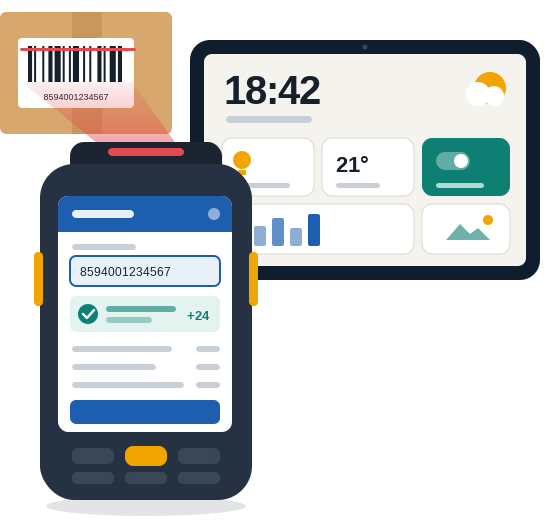
DataWedge without a manual profile
On first start the app creates an MDWebView profile in DataWedge and assigns it to itself. You do not have to build the profile in StageNow or copy it to every device.
The scanned value is written into the focused field and fires input and change events, so apps built with SAPUI5, Angular or React pick it up. The app can send Enter after the code, and if the page handles Enter itself the form is not submitted twice. For custom logic the page also gets an mdwebview:scan event with the value and the symbology.
Lock the device to one app
MDWebView can become the device owner. You set that up with a QR code after a factory reset or with ADB, and the lock then needs no confirmation from the user. If your MDM manages the devices, allow MDWebView for lock task mode there and turn on the lock in the app.
- The app is the home screen and starts when the device boots
- The status bar and the lock screen can be disabled
- Only an administrator with a PIN can open the settings; five wrong attempts pause the prompt
- After a set idle time the app returns to the start page and can sign the user out
- If the app crashes, it restarts itself
Manage the scanner fleet from your MDM
Send the start URL, the lock, the scanner type, the Enter key and company certificates as a managed configuration from Microsoft Intune, Workspace ONE, SOTI MobiControl or any other MDM that supports Android Enterprise. Values from the MDM are locked in the app and changes apply without a restart.
Without an MDM, set up one device, export the configuration to a file or a QR code and load it on the others.
Warehouses without internet
The devices only need a Wi-Fi connection to the server that runs your app. MDM settings stay stored on the device and DataWedge scanning works with no internet connection. When the Wi-Fi drops for a moment, the app shows a clear message and reloads the page as soon as the network is back.
Label printing on Zebra printers
Your web app can send a ZPL label straight to a network printer on port 9100 through JavaScript. Only pages from addresses you allow can use it.
An alternative to Zebra Enterprise Browser
Zebra Enterprise Browser is a capable tool, but it runs only on Zebra devices and is configured through a Config.xml file. MDWebView runs on the system Android WebView, is configured in the app or from an MDM, and the same install works on Honeywell, Datalogic, Newland and Urovo scanners and on ordinary tablets.
If your web app calls the Enterprise Browser JavaScript API, you will need to switch it to the mdwebview:scan event. Apps that expect the barcode as text in a field work unchanged.
Chemical distributor: SAP on about 300 Zebra scanners
At a chemical distributor's warehouse, MDWebView Enterprise runs on about 300 Zebra MC9400 mobile computers, and the warehouse staff use it to work in SAP.
Frequently asked questions
Which Zebra models are supported?
Zebra mobile computers and tablets with Android 8.0 or later that run DataWedge, for example the TC2x, TC5x, TC7x, MC3x and MC9x series, including the new MC9400.
Do I have to configure DataWedge by hand?
No. The app creates its MDWebView profile on first start. You only need manual changes if you want to, say, limit the barcode types.
Do I need Enterprise Home Screen for the lockdown?
Not for a single web app. MDWebView can lock the device itself as the device owner. If an MDM manages the device, set up the lock there.
Does it work without internet?
Yes. The device only has to reach your app's server over Wi-Fi. Camera scanning alone needs internet once at the start to download a Google Play services module.
How much is a licence?
The price depends on the number of devices. Tell us how many you have and we will send a quote.
Can we try Enterprise before buying?
Yes. On request we send a 30-day trial. Tell us which devices and which system you want to test it with.
Tell us about your warehouse
How many devices, which models and which system they should run. We will reply with a quote and a rollout plan.